Disable DirectSend in Exchange Online
Categories:
Microsoft has published a new command to completely disable the unsafe DirectSend protocol in your Microsoft 365 environment. In this guide I will explain what DirectSend is, why you should disable this and how we can achieve this.
What is DirectSend?
DirectSend (Microsoft 365) lets devices or applications (like printers, scanners, or internal apps) send email directly to users inside your organization without authentication. Instead of using authentication, it uses your MX record directly with port 25.
Some details about DirectSend:
- Only works for internal recipients (same tenant)
- No mailbox or license required for the sending device/app
- Uses SMTP to your tenant’s MX endpoint
- Commonly used for scanners, alerts, and legacy systems
- Does not support sending to external email addresses
- Possibly exposing public IP addresses in your DNS records
We can see it like a internal relay, possible to send email to all users in your tenant, which is actively used to distribute malicious activity. This consists of sending mailware or credential harvesting, bypassing different security controls active on normal email.
Why DirectSend is a security risk
Lets take a look into DirectSend en why this is a security risk, and a protocol which we must have disabled:
- No authentication is required, so any device or system that can reach your MX endpoint may be able to send email as your domain
- This makes it easier to spoof internal senders, which can be abused for phishing or social-engineering attacks
- Compromised devices (printers, scanners, servers) can be used to send malicious emails internally without triggering normal account protections
- There’s no user identity, so auditing and tracing who actually sent a message is harder
- It bypasses protections like MFA and Conditional Access, since no sign-in happens
- If network access is misconfigured, outsiders could potentially abuse Direct Send
Disable DirectSend with Exchange Online PowerShell
Let’s get into the part of disabling DirectSend for Exchange Online. First, ensure you have the Exchange Online Management PowerShell module installed.
Let’s connect to your Microsoft 365 environment using the command below:
Connect-ExchangeOnlineLogin to your account with Global Administrator permissions.
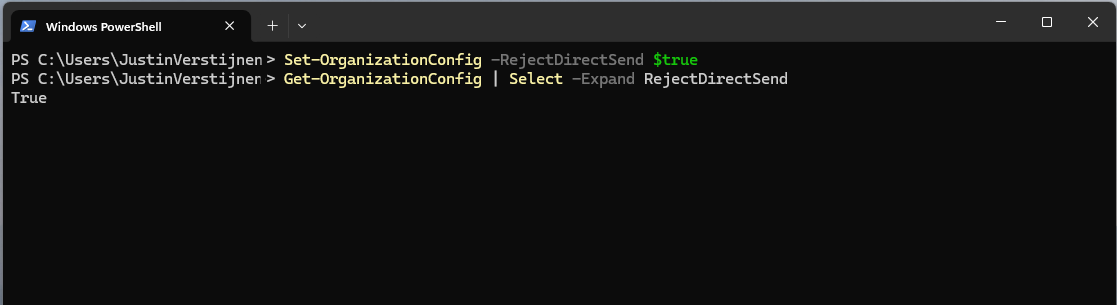
Then execute this command to disable DirectSend tenant-wide:
Set-OrganizationConfig -RejectDirectSend $trueTo re-enable DirectSend, just change the $true boolean to $false.
If you want to check the status before or after the set command, you can use this command:
Get-OrganizationConfig | Select -Expand RejectDirectSendThats all. :)
If an email is now sent using DirectSend, the following error will occur:
550 5.7.68 TenantInboundAttribution; Direct Send not allowed for this organization from unauthorized sources
Exactly what we wanted to achieve.
Summary
Disabling DirectSend on your Microsoft 365 tenant enhances your email security for a bit, and helps your users being secure. If you are planning on disabling DirectSend, I recommend doing this outside of business hours, giving you time to fix possible email disruptions.
We cannot disable DirectSend on specific users first, this is because its an tenant-wide setting. Because we have no authentication, this would theoretically impossible.
Thank you for reading this guide and I hope it was helpful.
Sources
These sources helped me by writing and research for this post;
End of the page 🎉
You have reached the end of the page. You can navigate through other blog posts as well, share this post on X, LinkedIn and Reddit or return to the blog posts collection page. Thank you for visiting this post.
If you think something is wrong with this post or you want to know more, you can send me a message to one of my social profiles at: https://justinverstijnen.nl/about/
If you find this page and blog very useful and you want to leave a donation, you can use the button below to buy me a beer. Hosting and maintaining a website takes a lot of time and money. Thank you in advance and cheers :)

The terms and conditions apply to this post.